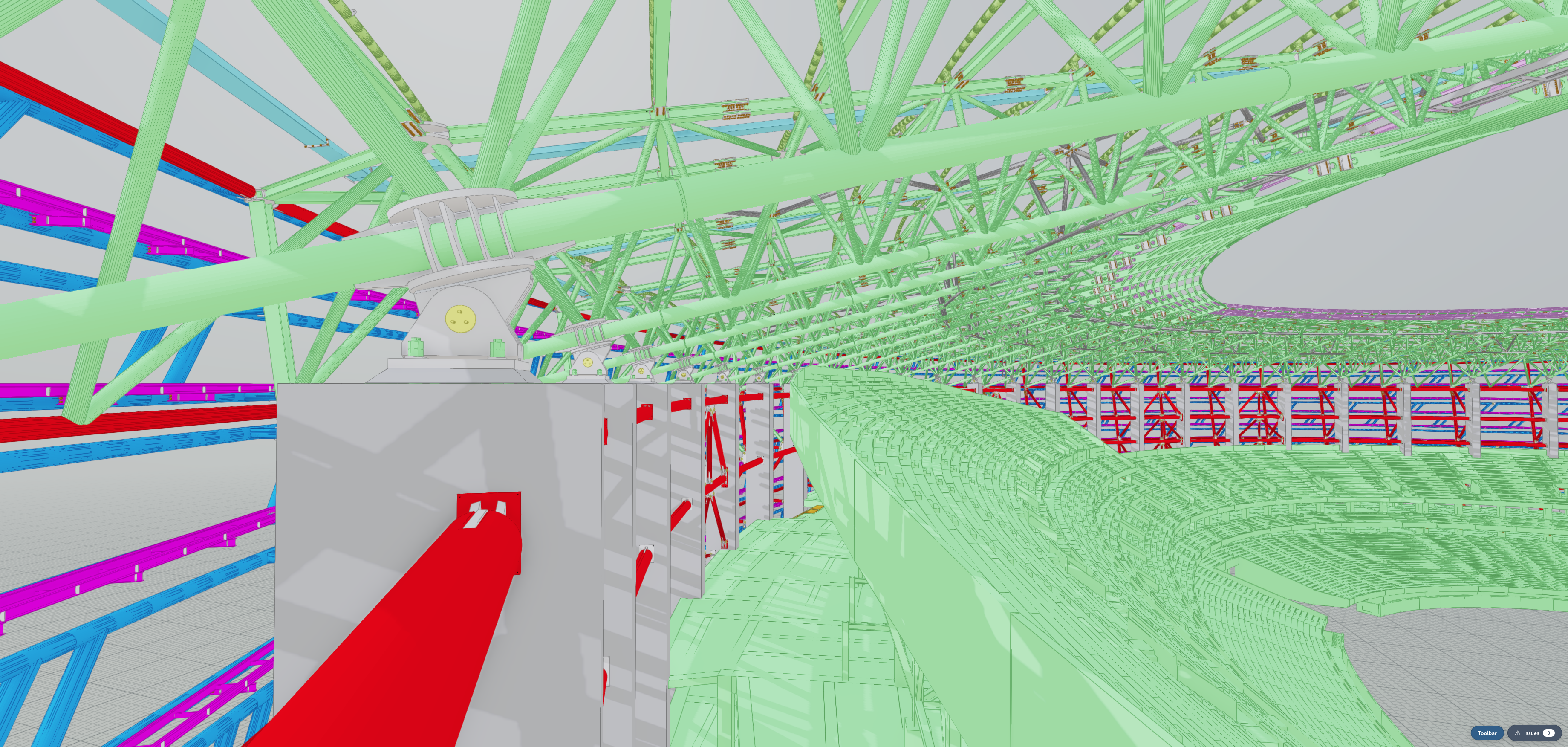
xeokit SDK — Technical Whitepaper

A developer's guide to what's actually different about this SDK, and why those differences matter for building AECO applications.


The xeokit SDK is a TypeScript SDK for building AECO (Architecture, Engineering, Construction & Operations) viewers and tools in the browser and in Node.js. Two design decisions sit at its foundation:

  1. Native 64-bit world coordinates. Models declare their own coordinate system (basis, origin, units); the scene graph holds positions in Float64 and the renderer uses Relative-To-Center (RTC) tiling, with adaptive tile sizes chosen at upload time, so the GPU never sees jittered Float32 world coordinates. A model sitting at UTM grid coordinates (465120.8, 5429331.4, 0) renders at sub-millimetre stability, with no per-app hacks.
  2. Data-texture batching. Per-mesh and per-object state — matrices, colors, visibility, selection, x-ray, opacity — lives in GPU textures, not in per-mesh uniforms or per-instance vertex attributes. The renderer iterates thousands of meshes in one draw call by sampling these textures from the vertex shader. Toggling a wall's visibility or recolouring 10,000 selected objects is a handful of texture writes, not a buffer rebuild.

Everything else in the SDK — the scene-graph / data-graph separation, the bucketed namespace, the result-monad error handling, the drawings pipeline, the section-plane primitives — is built on those two foundations.


A typical IFC building model is authored in real-world coordinates. A site survey ties the model to a national grid (UTM, OSGB36, NAD83) where individual vertex coordinates routinely run into the hundreds of thousands or millions of metres. Once the geometry reaches a Float32 vertex attribute on the GPU, that magnitude wipes out the bottom bits of precision — the same numerical limit that produces sub-pixel jitter on the surface of a wall and outright crawling artefacts on neighbouring polygons.

Most browser-based BIM viewers solve this by pre-translating geometry to the world origin and discarding the original anchor. That works for a single model, but breaks down for:

  • Two or more models in the same scene with different authoring frames.
  • A clash-detection or coordination workflow where a federated model has to align to source-coordinate metadata.
  • Round-tripping coordinates back to engineering tools (BCF, dimensioning, point clouds, GIS overlays).
  • Surveyed control points referenced in source-coordinate space.

xeokit's coordinateSystem parameter on SceneModel declares the model's basis (a 3×3 orientation), origin (a Float64 world-space anchor), and units in a single place:

scene.createModel({
id: "siteA",
coordinateSystem: {
basis: [1, 0, 0, 0, 0, 1, 0, 1, 0], // remap Y-up source onto Z-up world
origin: [465120.8, 5429331.4, 0], // UTM eastings/northings + Z
units: "meters",
scaleToMeters: 1,
},
});

Internally:

  • Per-vertex positions are Float32, quantised relative to a per-geometry AABB (24 bits of effective precision over each geometry's bounding box — sub-millimetre on a 10 m room).
  • Per-mesh world transforms are Float64.
  • The renderer's RTC pipeline computes a per-batch Float64 anchor and uploads model_view * (Float64_anchor + Float32_offset) such that the high-magnitude components subtract before they hit Float32 GPU registers.

The net effect: a model 10 km from world origin renders identically to the same model centred at the origin, with no per-app accommodation. Two models from different surveys land in the right place relative to each other on the first load.

BIM models are large. A federated office tower is routinely 1–5 million triangles across 200,000+ objects. The classical WebGL approach — one draw call per mesh, per-instance uniforms — falls over at this scale on integrated GPUs, and even on discrete GPUs it leaves no headroom for the interactive operations the workflows actually need:

  • Per-object visibility / selection / x-ray toggles triggered by tree-view clicks, BCF view bookmarks, filter rules.
  • Live recolouring for clash highlights, schedule overlays, sensor heat-maps.
  • Per-frame transforms for animated layouts, exploded views, story-by-story reveals.

Naive instancing (ANGLE_instanced_arrays, per-instance VBOs) handles batched draws but penalises per-object state changes — a single object's flag flip requires rewriting a slice of the instance buffer.

xeokit's data-texture approach inverts the picture:

  • Each batch (groups of compatible meshes, typically tens of thousands per batch on a modern GPU) carries its mesh-attribute data in fixed-size GPU textures rather than per-instance attributes:
    • Per-mesh matrices (RTC anchor + local transform)
    • Per-mesh material values (color, opacity, F0, roughness/metallic, hatch params)
    • Per-mesh flags (visible, selected, xrayed, highlighted, clippable, pickable)
    • Per-geometry positions / normals / UVs (compressed)
  • The vertex shader for a batch is one program. Each vertex looks up its mesh's row in the attribute textures using a primitive-mesh-index texture, and reconstructs its world position from that row plus the geometry texture's compressed values.
  • A single draw call processes the entire batch.

What this buys at the application level:

  • Toggling visibility on 50,000 walls is 50,000 single-pixel texture writes plus a frame re-render. No CPU-side mesh sort, no VBO upload, no rebatching.
  • Highlighting a clash set of 200 objects is the same operation against the selection texture.
  • Recolouring by story rewrites the material texture rows for the affected meshes; geometry buffers are untouched.
  • First paint is faster because there's no per-mesh program switch or uniform upload to amortise.

The cost is fixed per-batch overhead (a handful of textures per batch, regardless of mesh count) and a discipline around what fits in the attribute textures' fixed-width rows. Both are paid once at batch-build time and reused for the model's entire lifetime in memory.

There is a separate top-level studio.dataTexturesPanel in the demo runtime that exposes a live view of every active data texture — useful when developing custom rendering paths or debugging memory pressure on an integrated GPU.


The SDK is organised into topical buckets. Every import path begins with one of these:

Bucket What lives there
base/ Math (Float32 + Float64 vec/mat/quat/AABB, compression, curves), core infrastructure (SDKResult, SDKErrorType, EventEmitter, SDKTask), WebGL primitives, file I/O, locale, constants.
model/ scene/ (3D scene graph: Scene, SceneModel, SceneObject, SceneMesh, SceneGeometry, materials, hatch patterns). data/ (semantic graph: Data, DataModel, DataObject, relationships, property sets). procgen/ (procedural geometry + PBR material painters). streaming/ (chunked model streaming + cache).
viewing/ viewer/ (Viewer, View, Camera, SectionPlane, lights, effects). webGLRenderer/ (the WebGL backend, behind a pluggable Renderer interface — WebGPU work is anticipated). viewController/ (pointer / touch camera controllers). cameraFlight/ (camera flight animations and bookmarks). transformControls/ (in-scene gizmo).
formats/ Import / export for IFC, glTF, XGF, XKT, LAS, E57, CityJSON, 3D Tiles, OBJ + MTL, FBX, USDZ, DotBIM, 3DXML, FDS, 3D Gaussian Splatting (.splat), plus the 2D drawing formats (PDF, DWG, DXF, SVG) and native scene-model and data-model JSON.
spatial/ collision/ (KdTree / BVH indices over scene geometry). picking/ (ray and canvas-position picking, snap-to-vertex, snap-to-edge).
inspect/ Read-only inspectors that report on the integrity and statistics of scene and data models, with a fixes pipeline for resolving common issues.
presentations/ Scene processors that consume a SceneModel and emit a new one or mutate presentation state: drawings/ (orthographic 2D plans / elevations / sections, with HLE, fills, room labels, title-block chrome), sectionCaps/, exploder/, heatmaps/, materials/.
tools/ measurements/ — interactive distance and angle measurement, picking-driven.
simulation/ Animation / physics runtimes (rigid-body via Rapier).
interop/ bcf/ — BCF Viewpoint load / save.
convert/ Format-conversion pipelines and the xeoconvert CLI.
ui/ Plain-DOM UI primitives (context menus, floating panels, button bars, dialogs).
studio/ Higher-level integration code used by the demo site: DemoHelper, the toolbar, panel registry, IFC-material auto-application, drawings panel, section-plane tooling.

The same buckets are also exposed at runtime as namespaces on the root xeokit object (e.g. xeokit.model.scene, xeokit.viewing.viewer).

Two graphs sit side by side, joined by ID:

  • Scene (one per session) → contains SceneModels → which contain SceneObjects → which contain SceneMeshs → which reference SceneGeometry and SceneMaterial. This is the what to draw graph.
  • Data (one per session) → contains DataModels → which contain DataObjects with type, name, propertySets, and Relationships. This is the what does it mean graph.

A loader that processes an IFC file populates both. A SceneObject with id 1xS3BCk291UvhgP2a6eflK and a DataObject with the same id are the same entity from two angles. Apps doing semantic queries (e.g. "find every IfcWall on Storey 02 and isolate it in the viewer") query the data graph, then apply visibility flips on the matching view.objects[id] entries — those flips ride through the per-View attribute texture and update in one frame.

This separation is intentional. It lets the renderer batch geometry without caring about semantics, and lets data tooling traverse type hierarchies without touching the GPU.

The Scene holds geometry, world-coordinate state, and the shared collision index. A View is a per-camera presentation: it has its own camera, its own per-object visibility / selection / x-ray state, its own section planes, its own effects (bloom, tonemap, FXAA, SAO, shadows, edges, caps), and its own canvas. Multiple Views on one Scene give multi-view editors, before/after comparisons, picture-in-picture overviews, and orthographic plan/elevation outputs alongside the 3D perspective view — all at zero geometry duplication. Each View writes its own attribute textures.

The SDK is uniformly result-monadic. Every operation that can fail returns:

type SDKResult<T> =
| { ok: true; value: T }
| { ok: false; type: SDKErrorType; error: string };

There are no exceptions for expected failure modes — model id collisions, bad coordinate systems, malformed geometry, IO errors are all values. Async paths use the same shape inside Promise<SDKResult<T>>. This makes failure handling visible at the call site and lets the type system enforce branch-and-narrow on every fallible operation.


The shape of an app built on this SDK looks like:

import { Scene }         from "@xeokit/sdk/model/scene";
import { Data, searchObjects } from "@xeokit/sdk/model/data";
import { Viewer } from "@xeokit/sdk/viewing/viewer";
import { WebGLRenderer } from "@xeokit/sdk/viewing/webGLRenderer";
import { IFCLoader } from "@xeokit/sdk/formats/ifc";

const scene = new Scene();
const data = new Data();
const viewer = new Viewer({ scene });
new WebGLRenderer({ viewer });

const viewResult = viewer.createView({ id: "main", elementId: "canvas" });
if (!viewResult.ok) throw new Error(viewResult.error);
const view = viewResult.value;

view.camera.eye = [-6, 5, 9];
view.camera.look = [4, -3, -12];
view.camera.up = [0.1, 0.95, -0.27];

const sceneModel = scene.createModel({ id: "duplex" }).value!;
const dataModel = data .createModel({ id: "duplex" }).value!;

const ifcLoader = new IFCLoader();
const r = await fetch("model.ifc").then(r => r.arrayBuffer());
await ifcLoader.load({ fileData: r, sceneModel, dataModel });

// Semantic query against the data graph
const wallIds: string[] = [];
const q = searchObjects(data, {
startObjectId: "38aOKO8_DDkBd1FHm_lVXz", // IfcProject root
includeObjects: ["IfcWall"],
includeRelated: ["IfcRelAggregates"],
resultObjectIds: wallIds,
});
if (q.ok) view.setObjectsSelected(wallIds, true);

The pattern is consistent across the SDK: pick a Scene and a Data, create a Viewer with a WebGLRenderer, create one or more Views, populate SceneModel + DataModel via a loader, then operate on the loaded entities through the View. Every fallible step returns a result you branch on.


Enumeration of the SDK's feature set, grouped by topic. Every entry corresponds to a module under packages/sdk/src/ and is exposed through that module's index.

The mathematical foundation for placing real-world surveyed models in a scene without losing precision at any zoom.

  • Native Float64 world coordinates on Scene, SceneModel, and every per-model coordinateSystem (basis, origin, units, scaleToMeters).
  • Per-model basis declaration — supports Z-up / Y-up sources cohabiting in one Z-up world; arbitrary axis-permutation matrices are accepted.
  • Per-model double-precision origin — UTM-scale eastings/northings (1e7+ m) handled transparently.
  • Renderer-side Relative-To-Center (RTC) tiling — geometry rebased into tiles with adaptive sizes (chosen at upload time from the geometry's spatial extent) so the GPU only ever sees Float32 deltas, regardless of world position. Tile assignment is per-region, not per-batch — a single batch may host meshes from many RTC tiles, and a single tile may span batches.
  • Logarithmic depth buffer (fragment-stage) — per-pixel exact log-depth via gl_FragDepth, so the same scene supports walkthroughs at sub-millimetre precision and UTM-scale framing without near/far jockeying.
  • Quantized geometry — positions / normals / UVs stored as 16-bit fixed-point with per-geometry quant range, preserving sub-mm precision while halving vertex bandwidth.

The renderable side of the model — the objects, meshes, geometries, materials, and textures the GPU consumes.

  • Scene / SceneModel / SceneObject / SceneMesh / SceneGeometry / SceneTransform / SceneMaterial / SceneTexture hierarchy.
  • Geometry primitives: triangles, lines, thick lines (screen-space-expanded), points / point clouds.
  • Edge index buffers — automatic crease-edge extraction (buildEdgeIndices) for line-art overlays on triangle meshes.
  • Per-mesh transform matrices (translate / rotate / scale, composable).
  • Transform hierarchies (SceneTransform) — parent-relative chains, mutated at runtime; the renderer walks the chain once per dirty branch.
  • Per-mesh & per-object colour, opacity, visibility, x-ray, selected, highlighted, culled, clippable, pickable, edges — all live in GPU data textures; toggles are texture writes, no buffer rebuild.
  • Layers (SceneObject.layerId) — group objects for bulk operations; the default layer is the catch-all.
  • Smooth-normal generation from indexed positions (generateSmoothNormals).
  • Geometry compression helpers (compressGeometryParams) and runtime decompression in the vertex shader.
  • Hatch & line patterns — per-material 4-bit pattern slots driving stipple / dash / cross-hatch on a per-mesh basis.

The non-renderable side: BIM entity types, properties, and the typed relationships that connect them. Paired with the Scene graph through shared ids so a tree-view click in semantic space resolves to a mesh in render space without a manual mapping.

  • Data / DataModel / DataObject / Property / PropertySet / Relationship hierarchy, paired by id with the Scene graph.
  • Property sets and properties — IFC-style key/value/unit triples.
  • Typed relationships (IfcRelAggregates, IfcRelContainedInSpatialStructure, etc.) — explicit, typed edges in the data graph.
  • Traversal queries via searchObjects — start from any object, walk by relationship type, filter by object type, collect ids back. Pairs with Scene-side bulk operations through shared ids.
  • Schema-aware ingest — IFC4, IFC2x3, IFC4x3 entity types preserved end-to-end through loaders.

End-to-end import and export coverage for the formats AECO workflows actually exchange — IFC for source-of-truth BIM, glTF / XGF for delivery, dotbim / OBJ for interop, the 2D drawing formats (PDF / DWG / DXF / SVG) for AECO sheet exchange, plus point-cloud and reality-capture (LAS, E57, 3D Gaussian Splatting) and city-scale options (CityJSON, 3D Tiles).

Format Import Export Module
IFC (.ifc text + STEP), via web-ifc formats/ifc
glTF / GLB (PBR + textures + DataModel hooks) formats/gltf
XGF (native binary; v1.0 geometry / v1.1 PBR) formats/xgf
XKT (xeokit v2 native binary; v12) formats/xkt
dotbim (.bim JSON-LD) formats/dotbim
CityJSON (LOD 0–3) formats/cityjson
3D Tiles (tileset.json; b3dm/pnts/i3dm/cmpt/glTF) formats/threedtiles
LAS / LAZ point clouds formats/las
E57 (ASTM E2807 laser-scan point clouds) formats/e57
3D Gaussian Splatting (.splat; baked RGB, no SH) formats/gaussiansplat
OBJ formats/obj
MTL formats/mtl
FBX (Autodesk; binary) formats/fbx
USDZ (Pixar) formats/usdz
FDS (Fire Dynamics Simulator) formats/fds
PDF drawing sheets (vector + raster, via pdf.js) formats/pdf
DWG AutoCAD drawings (via libredwg-web WASM) formats/dwg
DXF AutoCAD interchange (in-tree ASCII parser) formats/dxf
3DXML (Dassault Systèmes; tessellated + assembly) formats/threedxml
SVG 2D vector drawings (browser-native DOMParser) formats/svg
MetaModel (legacy JSON) formats/metamodel
SceneModelParams (round-trippable JSON) formats/scenemodel
DataModelParams (round-trippable JSON) formats/datamodel

The four drawing formats share a common ingest pattern: each parser walks the source and emits geometry into a SceneModel — strokes as line meshes bucketed by (colour, lineWidth, dash), fills as triangle meshes via earcut, text rasterised to textured quads. PDF additionally lays multi-page documents out per PDFLoadOptions.layout ("row", "column", "grid", "stack"). They sit alongside the 3D BIM loaders so an AECO viewer can drop a 2D plan sheet into the same scene as the model it documents. DWG and DXF share their entire SceneModel-emit pipeline (DXF parses to the same DWGDocument shape and hands off to dwg.emit); libredwg-web is GPL-3.0, which apps shipping the DWG loader must honour.

3D Tiles is import-only and comes in two modes. A static one-shot import loads the selected tiles in a single pass: b3dm / pnts / i3dm / cmpt and bare glTF / GLB content, external tilesets, implicit tiling (1.1 .subtree, QUADTREE and OCTREE), Draco-compressed geometry, and tileset-level plus per-feature EXT_structural_metadata mapped to the DataModel. A glTF mesh whose EXT_mesh_features feature ids are a per-vertex attribute bound to a property table is split into one SceneObject per feature, each sharing its id with the feature's DataObject so a picked feature resolves to its metadata. For datasets too large to load whole, formats/threedtiles/streaming (TilesetStreamer) streams tiles by camera: each camera change selects tiles by screen-space error, frustum-culls those outside the view, and loads / unloads per-tile SceneModels so the scene holds exactly the visible set — for explicit and implicit (lazy .subtree expansion) tile trees, a perspective camera, and box / sphere / region (geodetic → ECEF) bounding volumes. Out of scope: export, KTX2 / Basis textures (the renderer has no compressed-texture path), and feature-id textures.

Conversion pipelines:

  • IFC → glTF → XGF end-to-end converter — convert/ifc2gltf2xgf.
  • Generic format-to-format convertersconvert/xeoconvert, convert/modelConverter.

The pipeline that turns scene state into pixels — batching, shading permutations, depth scheme, and the per-mesh state-write contracts that keep frame-rate steady as objects change.

  • WebGL 2 renderer (viewing/webGLRenderer) — pluggable behind a Renderer interface; WebGPU is the stated successor.
  • Data-texture batching — per-mesh state (matrix, colour, flags, atlas transforms) lives in GPU textures; thousands of meshes per draw call.
  • Atlas-packed PBR textures (TextureAtlas) — one albedo / one MR / one normal-map atlas per batch, shelf-packed with auto-downscale for oversize sources.
  • Section planes — up to 8 simultaneous, per-View, per-object clippable opt-out, per-plane colour for cap rendering.
  • Section-plane caps — stencil-pass solid cap renderering with hatch-aware materials (presentations/sectionCaps).
  • Edges — line-art overlay, configurable width and colour, slope-aware crease detection.
  • Silhouettes — outline rendering for selected / highlighted / x-ray states.
  • X-ray mode — semi-transparent "ghosted" rendering with depth-test still active.
  • Logarithmic depth buffer (fragment-stage, exact per-pixel).
  • Pluggable depth scheme — vertex-side log-depth or fragment-side log-depth selectable per DrawOps config.
  • Shader permutations — Lambert variants for {hasNormals, hasUVs, triplanar}, plus colour / silhouette / edge-colour / edge-silhouette / thick-line / point variants. Compiled lazily on first use, cached for the lifetime of the renderer.

The lighting model behind every rendered surface — from a single ambient term up to full PBR with HDR environment lighting.

  • Ambient light, hemisphere ambient light, directional lights (up to N), point lights, image-based lighting (IBL) from HDR cube maps via the bundled hdrLoader.
  • Lambert + PBR shading — albedo / metallic / roughness / normal map per material, atlas-sampled in the FS.
  • Specular roughness path (matte / glossy continuum) plus a per-material MAT_MATTE-style preset.
  • Triplanar texturing — world-axis projection for terrain or UV-less geometry.
  • Vertex-colour technique — separate path for point clouds and per-vertex coloured meshes.
  • Tonemap — ACES / Reinhard / linear, configurable render scale (supersampling) per Tonemap.

Screen-space passes that run after the main scene draw to add depth cues, atmosphere, and antialiasing without re-rendering geometry.

  • Scalable Ambient Obscurance (SAO) — full-screen contact AO, log-depth-aware decode, blur pass, per-View tunable scale / kernel / bias / minResolution / numSamples.
  • Bloom — physically-motivated bright-pass + multi-tap blur.
  • Shadow mapping — directional-light shadow pass with cascaded variants under ShadowPipeline.
  • Anti-aliasing — MSAA opt-in, FXAA fallback under AntiAliasing.
  • Resolution scale — independent render scale from canvas DPR for supersampling or fast-preview rendering.

The surface-finish vocabulary — PBR materials for realistic rendering, plus the stipple, hatch, and line-pattern stamps that engineering drawings need for cap legibility and conventions like dashed-hidden / cross-hatched-section.

  • SceneMaterial with PBR fields (albedo / MR / normal / occlusion / emissive) and atlas-backed textures.
  • MaterialPresets — sensible defaults for common AEC materials.
  • presentations/materials/applyIFCMaterials — convention-based material assignment from IFC entity types (concrete / brick / glass / steel / etc.).
  • presentations/materials/ifcHatchedCaps — hatch-stamped section caps following IFC schema conventions.
  • Line patterns (per-material, per-batch slot allocator) — solid / dashed / dotted / dash-dot / custom 32-bit stipple.
  • Hatch patterns (per-material, per-batch slot allocator) — crosshatch / brick / grid / diagonal stipple stamps for cap rendering and body fill.
  • Polyline continuous-pattern phase across joints via the per-batch polyline-cum-distance table.

The camera state and the choreography that moves it — projections cover the standard 3D and engineering-drawing cases, while CameraFlightAnimation provides the cinematic transitions that orient a user as they navigate.

  • Perspective, orthographic, frustum (asymmetric), custom-matrix projections, all swappable on the fly.
  • CameraFlightAnimation with:
    • AABB-fit flights (flyTo({ aabb, fitFOV })).
    • Eye / look / up flights.
    • Arc flights — parabolic apex along the camera's look→eye axis at the midpoint.
    • Easing options — quadratic ease-out (default) or piecewise-quadratic in-then-out (slow-fast-slow triangular speed).
    • Projection-transition flights (perspective ↔ ortho with matrix lerp).
  • NavCube — a draggable widget for orienting the camera to canonical axes.

Input-device handlers that translate mouse, touch, and keyboard gestures into camera moves — with pick-aware pivoting so rotation feels natural on the object under the cursor.

  • Mouse pan / rotate / dolly.
  • Touch pan / rotate / dolly.
  • Keyboard axis-view shortcuts.
  • Keyboard pan / rotate / dolly.
  • Pivot-around-pick (PivotController).
  • Pick-on-mouse-up handler (MousePickHandler).
  • Pick-on-touch handler (TouchPickHandler).
  • Transform controls — interactive gizmos for translating / rotating / scaling a SceneTransform in-canvas (viewing/transformControls).

Geometric queries against the scene's spatial index — picking, snap-picking, AABB lookups, and marquee selection, all backed by a BVH that keeps results fast at BIM-model density.

  • Picking — ray-against-scene (spatial/picking), returns world hit point + view object + face index + uv.
  • Surface picking — sub-pixel-precise picking by re-rendering the picked mesh at a higher resolution into an offscreen buffer.
  • Snap picking — pick to nearest vertex / edge mid-point / face centre.
  • SceneCollisionIndex — BVH over per-object AABBs; getSceneAABB, getObjectAABB, getCombinedObjectAABB, region queries.
  • Marquee selection — drag-to-select via the collision index.

Interactive measurement primitives that read world coordinates from the scene and render labels that survive camera moves and projection changes.

  • Distance measurements (tools/measurements/distance) — pick-to-pick world-space distance with axis-decomposed labels (Δx, Δy, Δz, length).
  • Angle measurements (tools/measurements/angle) — three-point angle with arc visualisation.
  • Annotations persist across camera moves and project correctly onto orthographic / perspective output.

Higher-level visualisation primitives layered on top of the renderer — 2D drawings derived from the 3D scene, data-driven heatmaps, exploded assembly views, and engineering-style section caps.

  • Drawings — 2D orthographic plan / section / elevation generation from a 3D scene, with hidden-line elimination, fills, labels, progressive rendering, and SVG-friendly output (presentations/drawings).
  • Heatmaps — paint per-mesh colour values from a sample set (typically thermal / pressure / occupancy) with a configurable gradient (presentations/heatmaps).
  • Exploder — animated assembly-explosion view (presentations/exploder).
  • Section caps — solid caps on clipped surfaces, hatch-stamped for engineering-drawing legibility.

Geometry- and material-generation helpers for building content in code — useful for fixtures, terrain, test scenes, and demo content that doesn't need to come from a CAD source.

  • model/procgen/buildGeometry — boxes, spheres, cylinders, planes, cones, torus, lines.
  • model/procgen/paintMaterials — procedural texture painters: stone-block, granite, stone-cracks, etc.
  • model/procgen/paintEnvironments — procedural environment / skybox painters.

Support for running several independent views of the same scene at once — useful for split-pane comparisons, picture-in-picture, and dashboards where each pane has its own camera, render mode, and visibility state.

  • ViewManager — multiple Views per Scene, each with its own camera, render mode, effects stack, render bin classifier, picking state.
  • ViewLayer — sub-views with independent visibility / x-ray / select state, useful for "show only X" overlays.
  • ViewObject per-(View × SceneObject) state — visibility, selected, highlighted, x-rayed, opacity overrides without mutating the underlying SceneObject.
  • Per-view section planes, per-view lighting, per-view tonemap.

Static-analysis-style validators for both halves of a model — flag schema issues, broken relationships, malformed geometry, and other defects before they reach an end user.

  • inspect/dataModel — schema-driven validation of a DataModel against a DataFormatSchema: schema tagging, relationship type bindings, cycle detection, IFC spatial hierarchy, IFC element containment, with severity-coded report output.
  • inspect/sceneModel — geometry / mesh / object / material / texture validators with per-issue codes and human descriptions.
  • labelForCode / descriptionForCode — programmatic access to the human-readable issue catalogue.

Hooks for exchanging viewpoint and issue state with other AECO tools through industry-standard interchange formats.

  • BCF Viewpoint read / write (interop/bcf) — components (visibility / coloring / selection / translucency), clipping planes, camera (perspective / ortho), snapshots, bitmaps, lines, view-setup hints. Full BCF 2.1 viewpoint round-trip.

A workbench for exploring, demoing, and testing every feature catalogued above in an integrated environment. Studio assembles the SDK's toolbar, context menus, floating panels, tree-view, and inspector widgets into a runnable host that loads models, drives viewers, and exposes each subsystem's state through a uniform panel API — equally useful as a sandbox for SDK developers and as a starting point for application authors who want a ready-made shell. Lives under packages/sdk/src/studio/ and is opt-in per app: an application can use the SDK's core without ever instantiating Studio.

The frame-loop substrate every animated or invalidation-driven subsystem hangs off of, so per-frame work happens in a predictable stage order rather than racing on the event loop.

  • SDKTask / SDKTaskRunner — every per-frame and on-demand SDK task lives in a stage-segregated queue (CollectInput → Animate → Compute → Compute2 → Render → PostRender). Used by CameraFlightAnimation, Camera._buildViewMatrix, PivotController, KeyboardPanRotateDolly, every projection's matrix rebuild, every SceneTransform dirty propagation, ViewTransform tree rebuild, MeshManager.sceneObjectCreated.

An optional rigid-body binding for prototypes that need basic collision or gravity response — not a full physics engine, but enough hooks to script simple physical interactions in a scene.

  • Scene physics binding (simulation/physics) — opt-in rigid-body simulation hook (ScenePhysics, getScenePhysics(scene)), per-SceneObject body params; intended for click-through / collision-response prototypes rather than a full physics-engine wrap.

A small string-catalog layer used by the bundled UI components, so applications can translate the SDK's built-in widgets without forking the source.

  • base/locale — string catalog + LocaleService for translating UI strings; the bundled Studio panels read through it.

A handful of cross-cutting conventions show up across the entire SDK — they're not features in themselves but they shape how every feature above is wired together.

  • Result-monad error handling — every fallible call returns SDKResult<T> ({ ok: true, value } or { ok: false, type, error }); no thrown exceptions across module boundaries.
  • destroyed flag + destroy() on every long-lived object; idempotent.
  • Event emitters with typed payloads on every observable (Camera / View / Scene / Data / SceneModel / Picking) — wired through EventEmitter + EventDispatcher from strongly-typed-events.
  • TSDoc on every public API — the generated API reference at https://xeokit.github.io/sdk/docs/api/ reflects what's exported, not what's documented separately.

The core — Scene, Data, Viewer, WebGLRenderer, and the architecture connecting them — was designed and built by hand, from prior experience building WebGL-based SDKs and engines. The coordinate system, the scene / data split, the data-texture batching strategy, and the error-handling conventions described above were all established up front.

Once that core was proven with a couple of hand-written loaders, AI assistance (Claude) was used to accelerate implementation within it: additional format loaders and exporters written against the established Scene/Data API, plus some renderer effects. The existing xeokit V2 codebase served as the reference, so the work carried established approaches onto the new architecture rather than inventing them. Every AI contribution was read, tested, code-inspected, and revised before it was kept.


  1. The root README.md — every module bucket with one-line descriptions and the canonical import path for each.
  2. The Spinning 3D Box example in the README — the smallest end-to-end Scene → SceneModel → View → render pipeline.
  3. The IFC Model Viewer example — loader + data-graph join.
  4. packages/website/examples/ — ~200 focused vignettes, each in its own folder with an index.html + index.js + JSON manifest. Filter by prefix: viewing_*, formats_*, presentations_*, building_*.
  5. The API reference at https://xeokit.github.io/sdk/docs/api/, generated from TSDoc on the published source.